Beautiful screenshots of your app, ready to share
Showpiece is for the moment you want to show people what you have been building. Give it a screenshot of your app or website and it places it on a background, puts a browser or app window around it if you would like one, and lets you choose how the screen sits in the picture: facing you, turned a little to one side, or up close on the part you want people to notice.
When you are happy with it, you save the picture in the right shape for wherever it is going, whether that is a post on X, a changelog, a landing page or a slide.
Open the editor to try it. It is free, and you do not need to create an account.
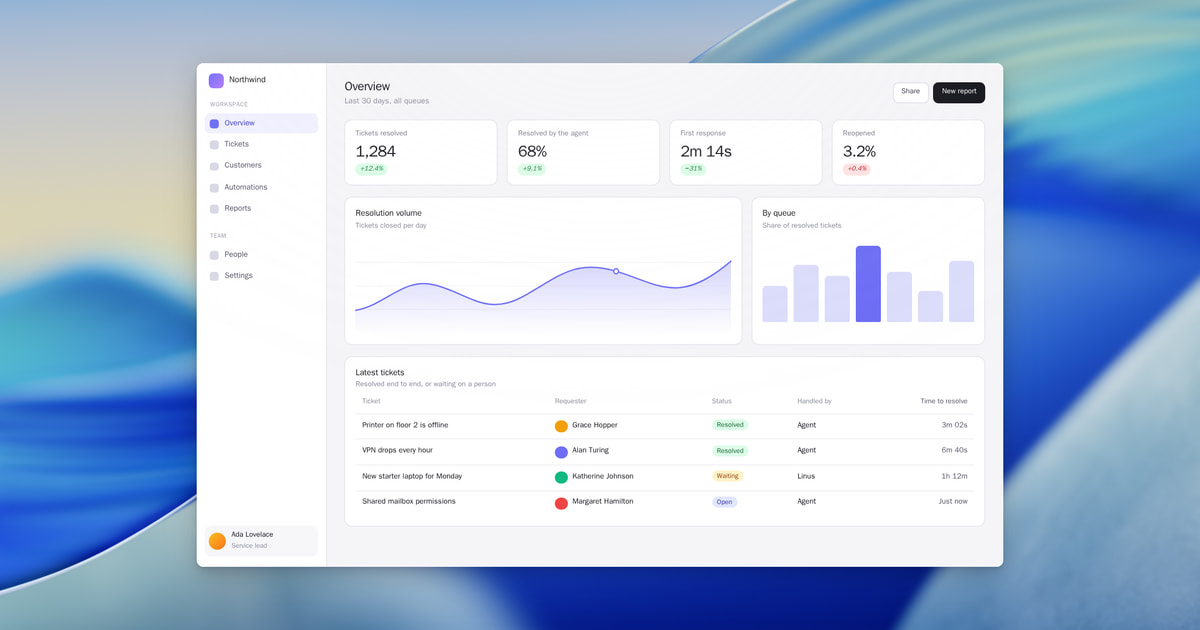
How it works
- Start with a screenshot. Drag one into the editor, or paste it from your clipboard. You can also paste the address of any public web page.
- Arrange the picture. Choose a background, decide whether the screen sits in a browser window or an app window, and pick the view you like best. If the post needs it, you can add a headline, your logo or a button beside the screen.
- Save it in the right size. Showpiece saves a PNG that stays sharp on any screen, in the shape each place expects. You can also download the five most common sizes together, and each one is arranged for its own shape so that nothing important gets cut off.
Sizes
- X post (16:9): wide, for X, LinkedIn and slides
- Feed (4:5): tall, for Instagram and LinkedIn feeds
- Story (9:16): the whole phone screen, for Stories, Reels and Shorts
- Link preview (1.91:1): the picture under a shared link, and changelog covers
- Original (the shape of your screenshot): with even room around it
- Square (1:1): for square posts and grid tiles
- Classic (4:3): for docs, blog posts and product pages
Questions
What is Showpiece?
Showpiece is a free editor that runs in your browser. It takes a screenshot of your app or website and turns it into a polished image that you can use in a launch post, a changelog, a landing page or a presentation.
Who is it for?
Showpiece is made for people who build software and want to show it well without opening a design tool. That includes founders, solo developers and small teams who share their work on X, announce new features, or need good pictures for a website or a Product Hunt launch.
How is it different from other screenshot tools?
Most screenshot tools place a flat picture on a coloured background. Showpiece can also bring in the web page itself, so the text stays crisp at any size, and you can bring one part of the page forward or correct a word without going back to your app. It also arranges every size separately, so a tall image for a feed is laid out again and not simply cut out of the wide one.
Is it free, and do I need an account?
Yes, Showpiece is free, and you can make and download images without creating an account. If you sign in with Google, or with a link sent to your email, your work is kept for you. Anything made without signing in is deleted after seven days.
How do I get my app into Showpiece?
The quickest way is a screenshot: drag one into the editor, or paste it from your clipboard. You can also paste the address of any public web page.
Which sizes can I save an image in?
Images are saved as PNG files at two or four times the normal resolution, so they stay sharp on any screen. The sizes are X post (16:9), Feed (4:5), Story (9:16), Link preview (1.91:1), Original (the shape of your screenshot), Square (1:1), Classic (4:3). You can also download the five most common sizes together, each one arranged for its own shape.
Can Showpiece make videos?
No. For now, Showpiece makes still images only.
Who can see the screenshots I bring in?
Only you. Showpiece stores what you bring in so that you can come back and keep working on it, and you can delete a single image, a screenshot or your whole account whenever you like.